Baddie Evolution Controls & Pro Tips
Platform controls, HUD habits, and practical tips that speed up the Beauty → Wins → Evolve loop.
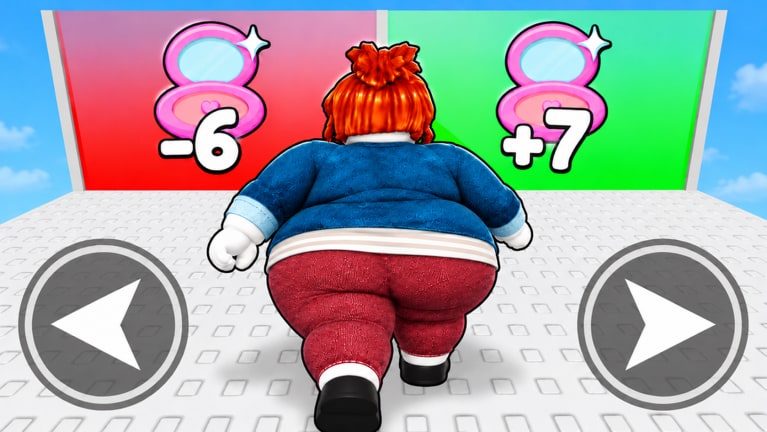
Platform controls
+1 Baddie Evolution runs inside Roblox on PC, mobile, and console. The verbs stay the same everywhere: click Beauty, sit treadmills, fight Baddies, Evolve, redeem codes. Only the fingers change.
| Platform | Beauty | Move | Menus | Codes |
|---|---|---|---|---|
| PC | Left click / hold | WASD + mouse | Click HUD buttons | Ctrl+V paste |
| Mobile | Tap / hold | Virtual stick | Tap icons carefully | Long-press paste |
| Console | Face button / trigger | Stick | D-pad + confirm | On-screen keyboard (slow) |
If a patch renames a button, trust the iconography: lipstick / sparkle for Beauty fantasy, treadmill silhouette for training, fists for fights, diamond / star for Evolve.
HUD habits that save minutes
- Keep Shop / Codes one click away after every join — free multipliers beat raw grinding (Codes Hub).
- Glance at Beauty and Wins before opening Evolve so you know which resource is blocking you.
- Leave Evolve open while you fight only if the UI does not block movement; otherwise toggle between fight and shop.
- Re-seat yourself after every teleport — many players think the pad broke when they simply stood up.
- Favorite the experience + join Giga Mega Chads for future group gifts.
Session templates
10-minute micro session
- Redeem codes (1 min)
- Evolve if affordable (1 min)
- Click Beauty (2 min)
- Sit best pad (3 min)
- Fight for Wins (3 min)
45-minute standard session
- Setup + codes + Evolve (5)
- Pad block (15)
- Fight block (15)
- Evolve + area scout (5)
- Pad cooldown (5)
Deeper pad science lives in Beauty Training; fight routing in How to Farm Wins.
Pro tips (November 2026 meta)
- Rates over banks. Track Beauty/min and Wins/min, not giant unspent totals.
- Evolve early. Hoarding Wins for “later” usually loses to buying the next form now (How to Evolve).
- Relocate on unlock. New areas exist to raise your rates — move the AFK spot.
- Boost windows matter. If a code grants a temporary multiplier, fight or click during that window, not while loading.
- Server hop once when pads feel dead or fights lag; servers hold only 14 players.
- After client updates (including the 16 Nov 2026 touch), re-test Codes, Evolve, and your favorite pad before a long AFK.
- Manual first. Learn the loop before touching anything on the Scripts Hub.
Mobile-specific tips
- Plug into power for treadmill AFK
- Disable aggressive battery savers that freeze Roblox
- Keep brightness moderate to reduce heat
- Use a private corner so accidental taps do not open the Roblox menu
- Redeem long codes on PC when possible, then continue on phone
PC-specific tips
- Separate click finger from camera finger so you can orbit while Beauty farming
- Pin this wiki and the Roblox tab side by side on patch day
- Use paste for codes — typos waste unique redemptions
- Watch CPU thermals during overnight AFK; a crashed client earns zero Beauty
Console-specific tips
- Expect slower code entry — keep a phone alt nearby for redemptions if your household allows multiple devices
- Prefer simpler fight routes; precise kiting is harder with sticks
- Enable performance mode if fights stutter in busy public servers
Mistakes that look like “bad controls”
| Symptom | Likely cause | Fix |
|---|---|---|
| Clicks do nothing | UI modal open / tutorial lock | Close panels, finish prompts |
| Cannot sit pad | Wrong Evolution / occupied | Unlock form or take second pad |
| Fight button grey | Too weak / wrong area | Train Beauty, then retry |
| Code invalid | Typo / expired / already used | Copy from Codes, wait, retry |
| Softlock after teleport | Streaming lag | Stand still 5 seconds, rejoin if needed |
Tie tips to tier lists
Controls get you into menus; tier lists tell you what to press:
Related pages
Clean inputs plus clean priorities beat spam clicking every time.
Frequently Asked Questions
Quick answers about Beauty, Wins, Evolutions, and codes.
What are the controls for Baddie Evolution on PC?
Move with WASD, click for Beauty and menus, and paste codes with Ctrl+V. Sit treadmills via the on-screen prompt.
Can I play Baddie Evolution on mobile?
Yes. Tap for Beauty, use the virtual stick to move, and long-press to paste codes.
Why won’t my character sit on the treadmill?
The pad may be occupied, locked behind an Evolution, or you may still have a tutorial modal open.
What is the best tip for faster progress?
Redeem codes, Evolve early, sit the best unlocked pad, then fight in focused Wins blocks.